SOURCE AVAILABLE · PHP · ZERO DEPENDENCIES
Static sites anyone can edit.
Chassy is a static site CMS: a drop-in admin panel for a site that stays plain HTML. Build a site for a client who'll keep it up to date themselves, or run your own. Either way: no database to secure, no build step to run, and no server code on the page a visitor loads.
- −A database to secure, back up, and keep patched
- −Plugin updates on a schedule you didn't choose
- −A login screen for bots to find and hammer
- −Hosting cost climbs as the site grows
- ✓No database. Nothing to migrate, nothing to lose
- ✓No plugins. No updates to schedule
- ✓No server code on the page a visitor loads
- ✓Runs on the cheapest hosting there is
One setup. Then it's just content.
You wire up the templates once. After that, whoever edits the site never touches code.
$ git clone https://github.com/magnabytes/chassy-cms
$ cd chassy-cms
$ php -S localhost:8080- Drop the repo into
public_html/ - Import the existing
index.html - Swap static text for Chassy tags:
{{like_this}} - Define fields through the UI
- Hand over the login
- Log in to
/admin/ - Click a page: Home, About, Menu
- Edit text, upload photos
- Click "Publish Live"
- Site is live. No rebuild step to run
What it does
Drop-in setup
Works on Apache, nginx, OpenLiteSpeed, and Caddy out of the box. Copy the files into an existing web root and it runs.
Works with the site you already have
Import your existing index.html straight from the admin panel. Been live for years? Still works. Your markup and CSS stay exactly as you wrote them.
Add a tag, get a field
Replace a paragraph with {{about_text}} and save. The admin panel detects the new Chassy tag and builds the input for it.
Pure static output
Publishing writes plain HTML files. The public site has no database and no PHP running on the pages a visitor loads.
Multi-user access
Admin accounts for developers, editor accounts for clients. Editors update content. Only admins touch templates and settings.
Version history
Every publish saves a timestamped snapshot. Restore any previous version in one click.
Make any page editable by adding a few Chassy tags.
No rebuild, no migration. Take the site you already have, mark the parts that should be editable with a Chassy tag, and leave everything else exactly as you built it.
<section class="hero">
  <h1>Copper Bean Coffee</h1>
  <p>Sourdough and single-origin espresso, daily.</p>
  <img src="/img/shop.jpg" alt="Our shopfront">
  <a class="btn" href="/menu">See the menu</a>
</section><section class="hero">
<h1>{{hero_heading}}</h1>
<p>{{hero_tagline}}</p>
<img src="{{hero_image}}" alt="Our shopfront">
<a class="btn" href="/menu">See the menu</a>
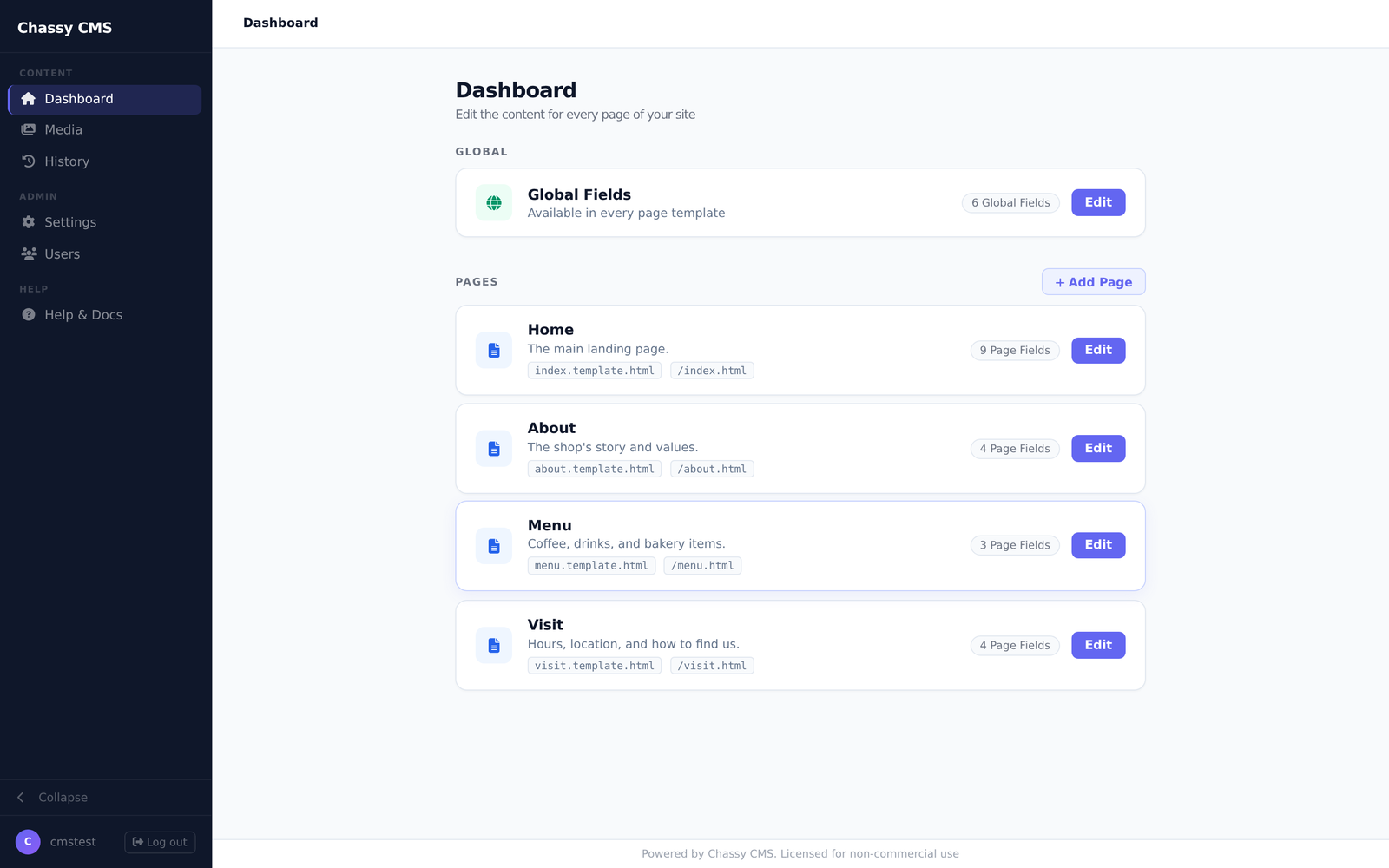
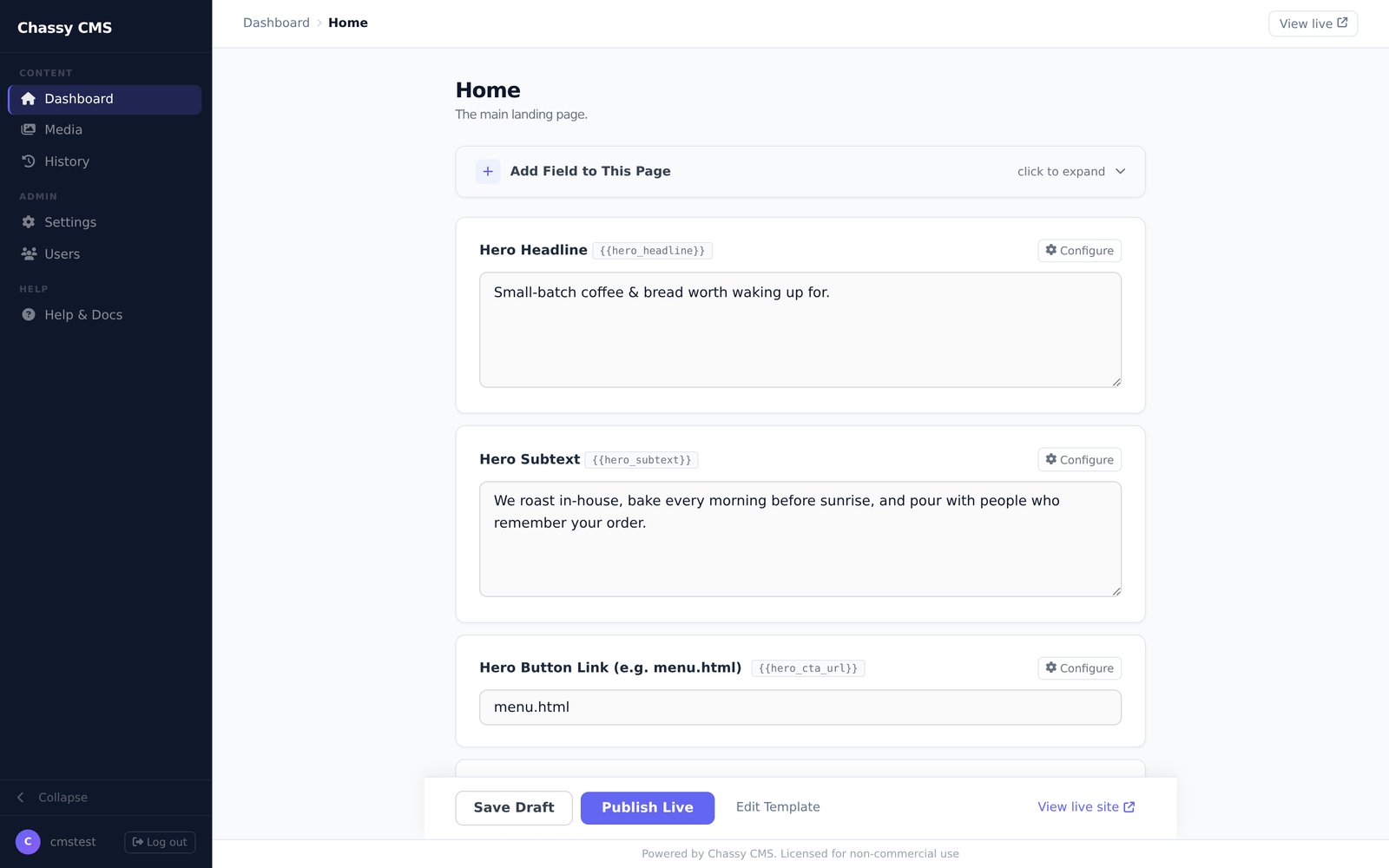
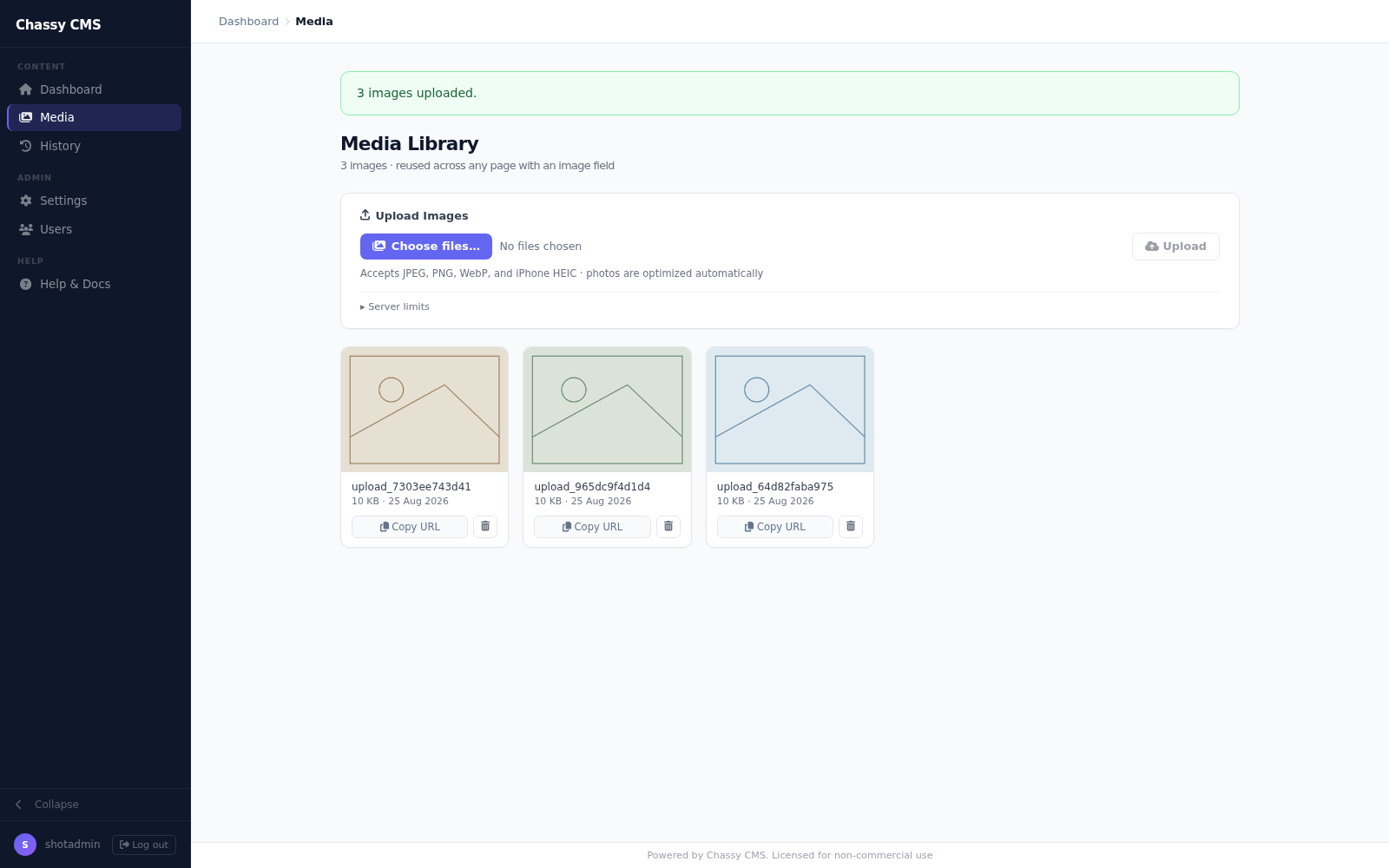
</section>If they can use email, they can run the site.
The admin panel is a handful of plain web forms: no code, no jargon, no manual. Anyone who's sent an email or posted to a social feed can log in, edit the text, swap a photo, and hit Publish Live.
How it stacks up
Same job, four different sets of tradeoffs. Here's where each one lands.
| ChassyThis project | WordPressTraditional CMS | Kirby & GravRuntime flat-file CMS | Hugo, Jekyll & EleventyStatic site generators | |
|---|---|---|---|---|
| Code running on the live site | None | PHP, every request | PHP, every request | None |
| Database required | None | MySQL | None | None |
| Build toolchain or git required | None | None | None | Node, git |
| Non-technical client can edit content | Yes | Yes | Yes | Only with a separate headless CMS |
| Runs on $5/month shared hosting | Yes | Yes, slows as it grows | Yes | Needs a host that runs the build |
Free for personal and nonprofit use.
Licensed for commercial.
Personal & Nonprofit
Free Forever
Blogs, portfolios, hobby projects, and nonprofits. Use it, modify it, deploy it. No signup, no license key.
View on GitHubSingle-Use Commercial
Contact for pricing
One license per client website you build and hand off. Covers a single commercial deployment.
Email licensingAgency Bulk
Contact for pricing
Unlimited client deployments across your studio. One license, every project.
Email licensingCommon questions
- Is this a subscription?
- No. It's 100% free forever for personal and nonprofit use. Commercial use is a flat one-time fee per client site or per agency. No recurring payments either way.
- Do I have to rebuild my existing site to use it?
- No. Chassy is built to drop into a site you already have: a client's five-year-old build, an agency handoff, your own weekend project. Import the existing
index.htmlfrom the admin, swap the parts that should be editable for Chassy tags, and everything else stays untouched. - Where does the admin panel actually run?
- Right alongside your site. Chassy is one
/admin/directory in the same web root as the pages it publishes, so it runs on virtually any hosting, cheap shared cPanel plans included. All it needs is PHP 8. That PHP runs only when someone opens/admin/. - How do the published pages get onto my server?
- They're already there. When someone clicks Publish Live, Chassy writes the finished HTML straight into your web root. No upload step, no deploy pipeline, no FTP. The files it generates are the files being served.
- Can my client break the layout or crash the site?
- No. Editors only see the fields you've defined. They can't touch templates, code, or settings.
- What if I need more than plain text fields later?
- Repeatable lists (menu items, testimonials, team members) and image fields are built in, and you can add new fields anytime from the admin. It's not built for a full blog with pagination and categories, though.